Run applications, invoices, bookings and reviews from one panel
The Carbonware Business Panel is a custom admin system built for how business runs in Guyana: branded PDF invoices, MMG and bank-transfer tracking, and WhatsApp follow-ups.
- Branded PDF invoices
- MMG and bank transfer tracking
- One-tap WhatsApp
- CSV and PDF export
Demo login demo / carbonware2026. Sample data, resets every hour.
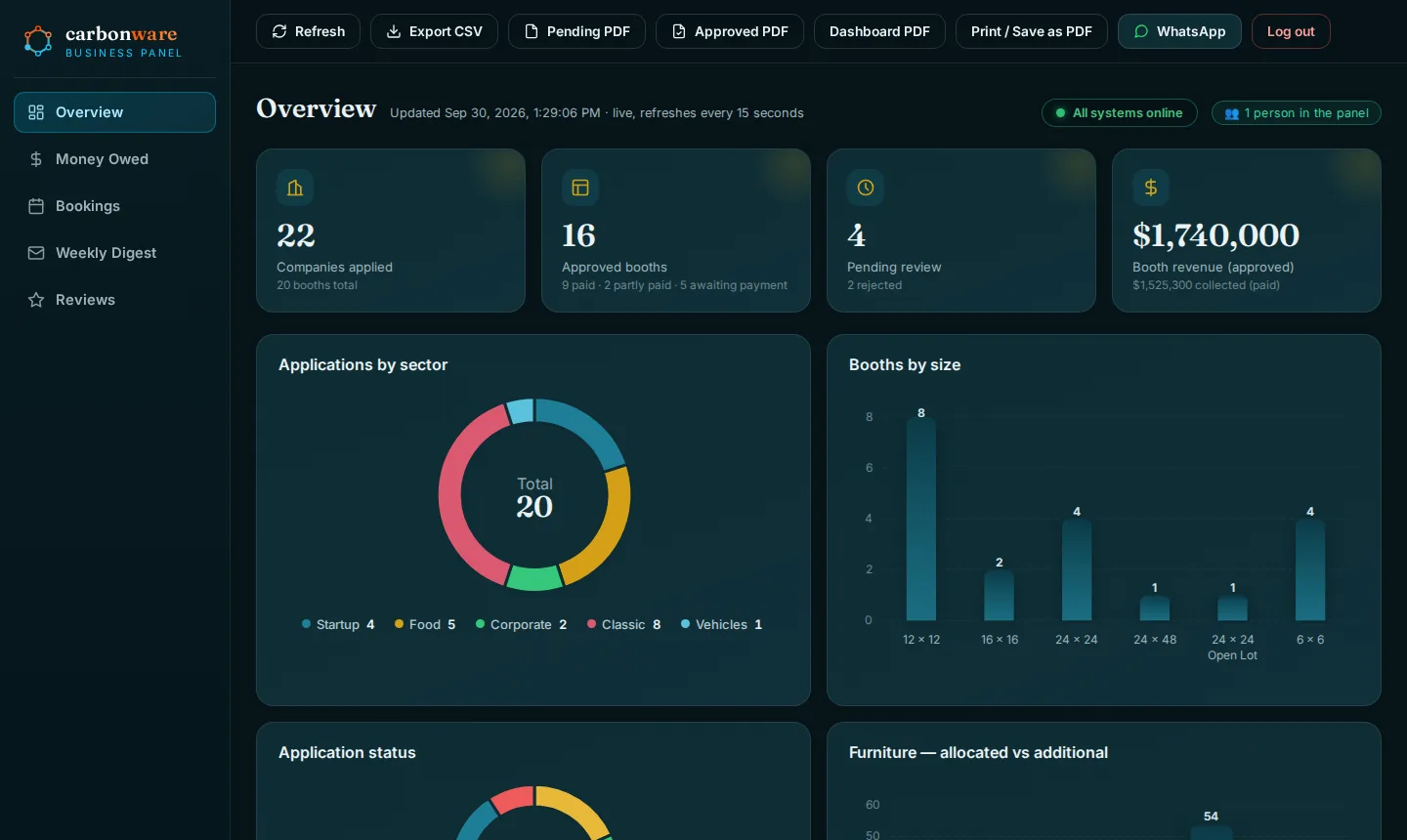
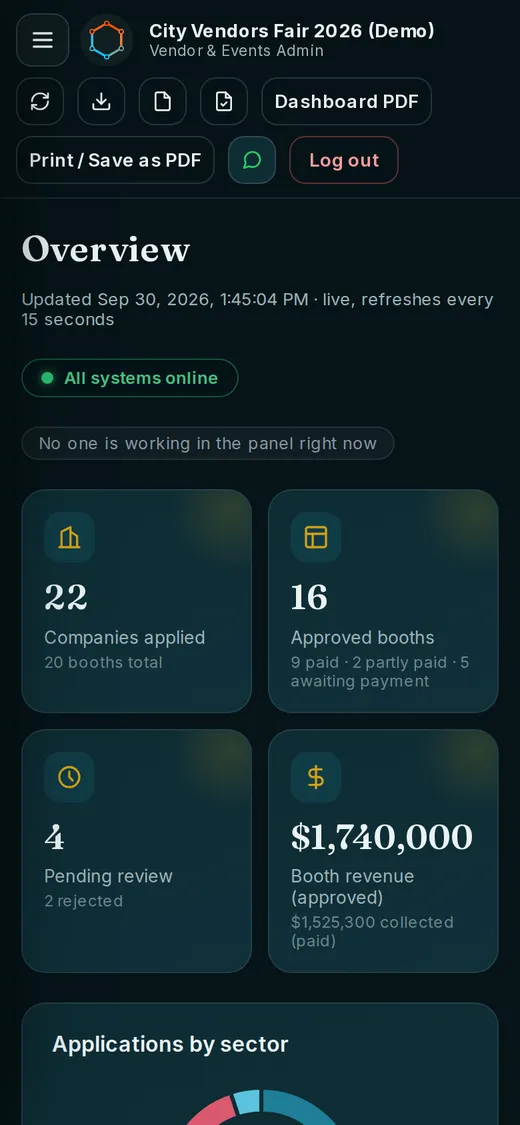
Screenshots of the live demo on desktop and phone. Every name and figure is fictional.
From scattered to one place
If applications, invoices and bookings live in chat threads, paper and spreadsheets, the panel puts the same work in one system your whole team can see.
How it often runs today
- Applications arrive by WhatsApp, email and paper
- Payments tracked in a spreadsheet
- Invoices typed up by hand
- Reminders sent when someone remembers
With the panel
- Every application in one searchable list
- A branded PDF invoice in a click
- Unpaid invoices with a WhatsApp nudge button
- Booking reminders out in one tap
What you can run from the panel
One login, five views and a full file for every customer. Each screen below is from the live demo.
See the whole business at a glance
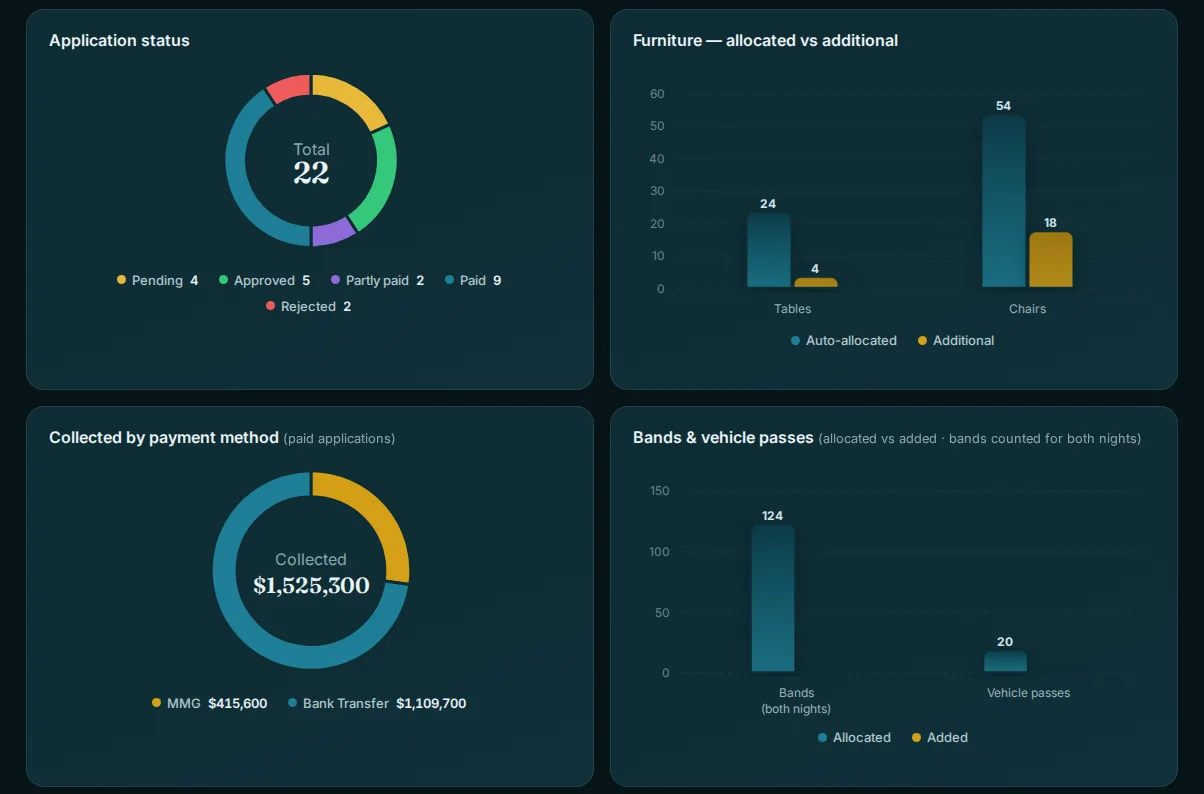
The overview shows where every application, invoice and payment stands, and the figures update live, checking for changes every 15 seconds.
- Live totals for applications, approvals, pending reviews and revenue.
- Charts by sector, size, status and payment method.
- Export to CSV or PDF, or print a dashboard page, in one click.
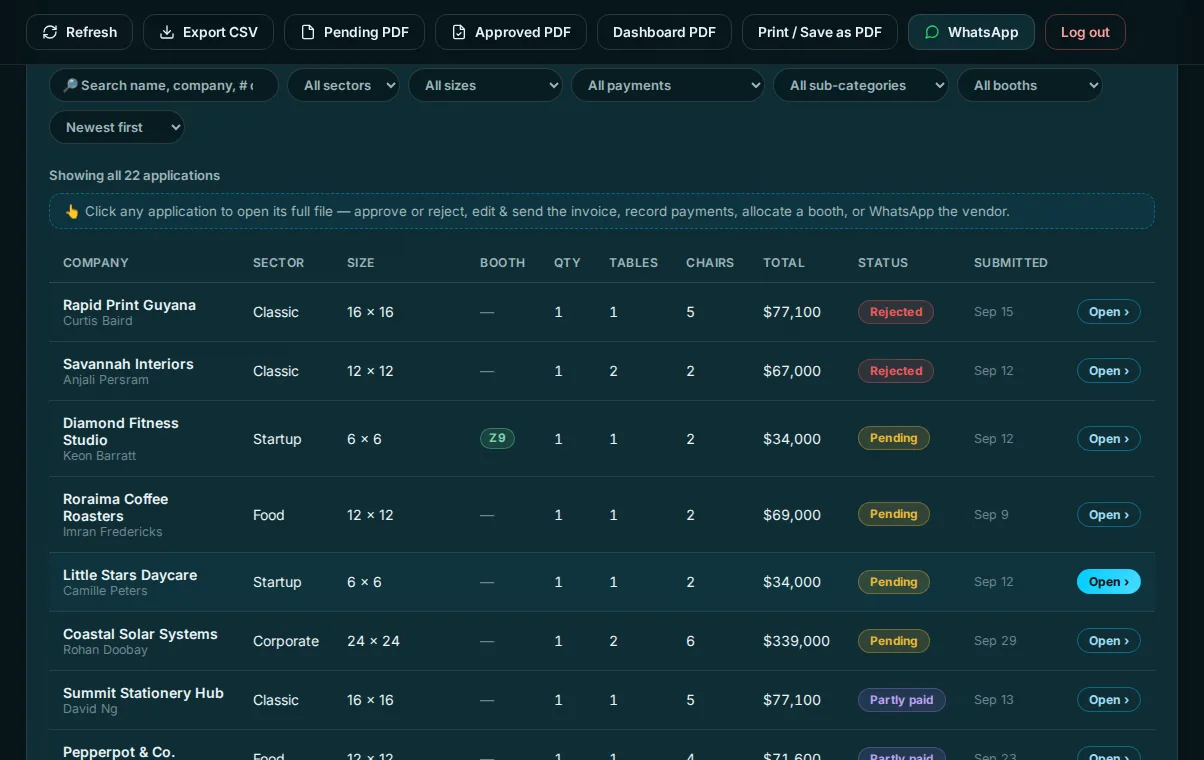
Every application in one searchable list
People apply through a public form and land in the list with a status, so nothing lives in a chat thread.
- Search and filter by name, sector, size, payment status and more.
- Status at a glance: pending, approved, partly paid, paid or rejected.
- Click any row to open the full file.
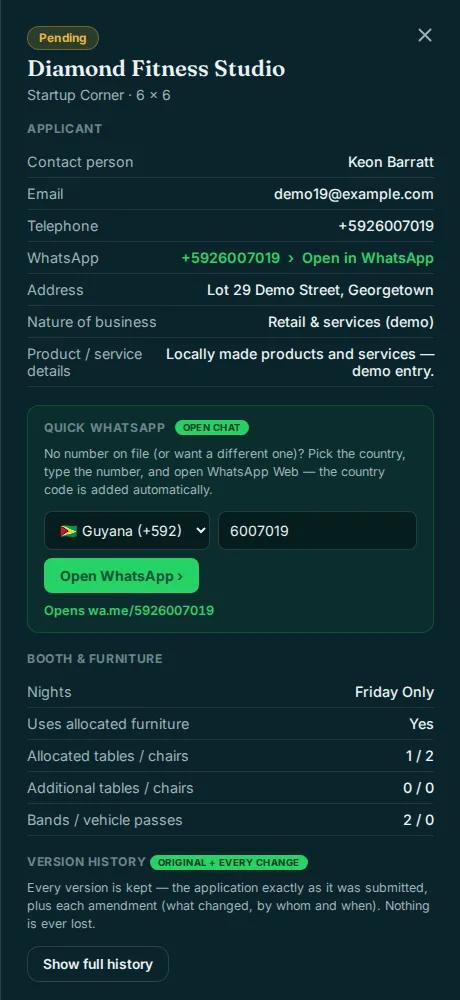
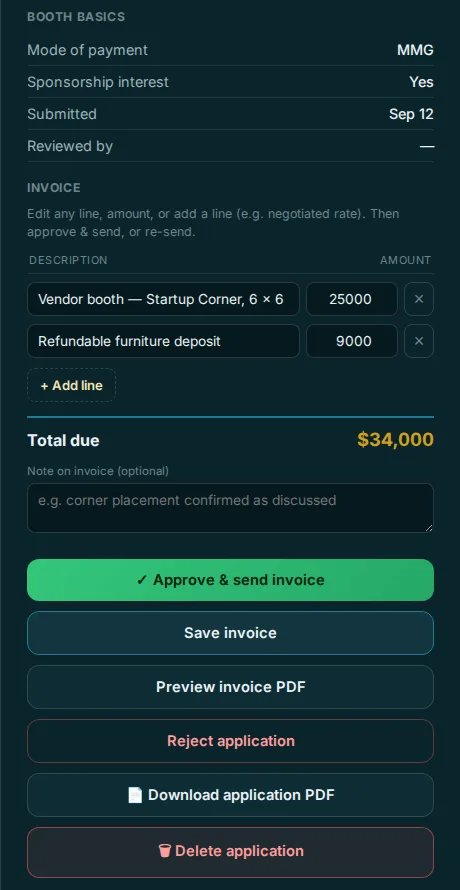
Approve, invoice and follow up without leaving the record
Open an application and everything about that customer is in one place.
- Edit the invoice line by line, then approve and send it, or preview the PDF first.
- Version history keeps the application as it was submitted plus every change, with who made it and when.
- WhatsApp opens a chat with the country code already filled in.
- Proof of payment photos are stored with the record.
Know who still owes you
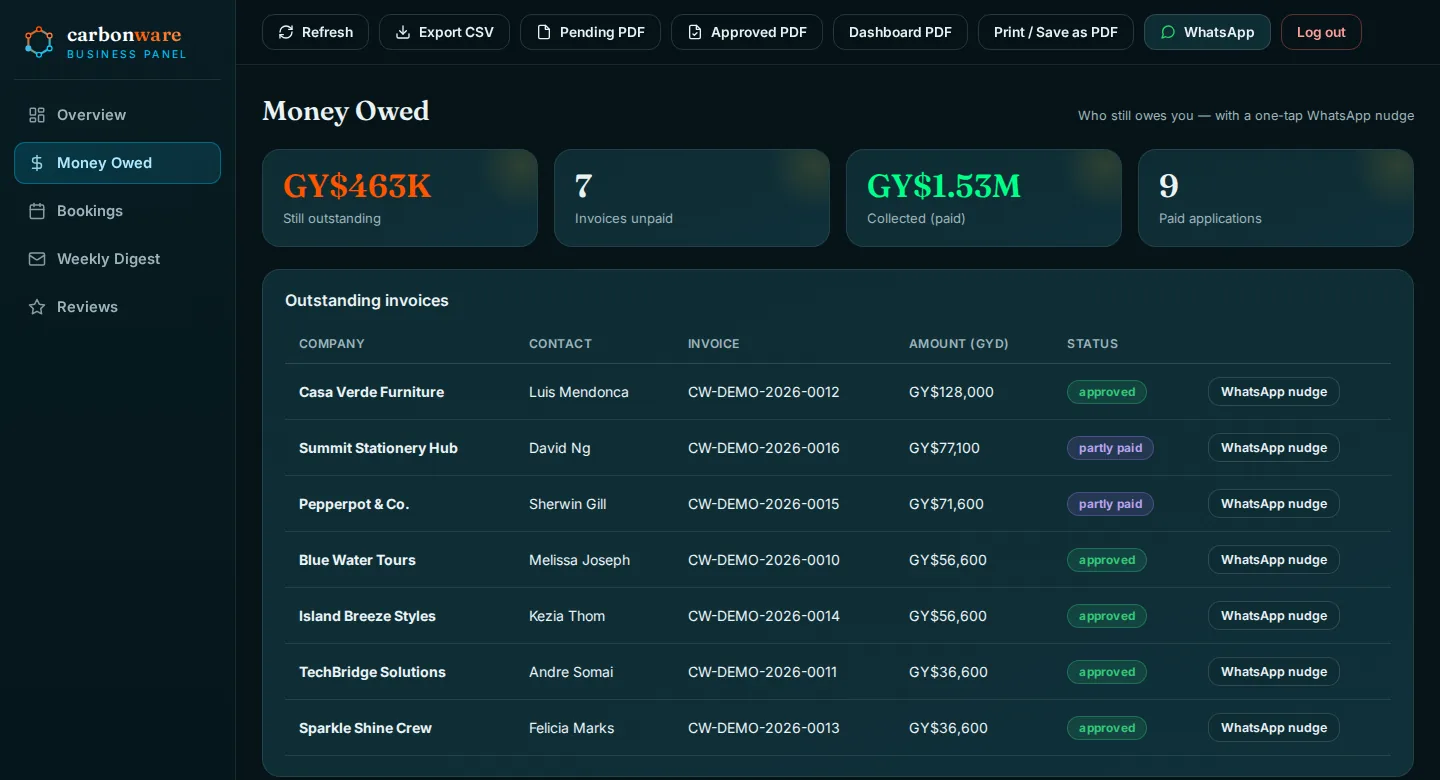
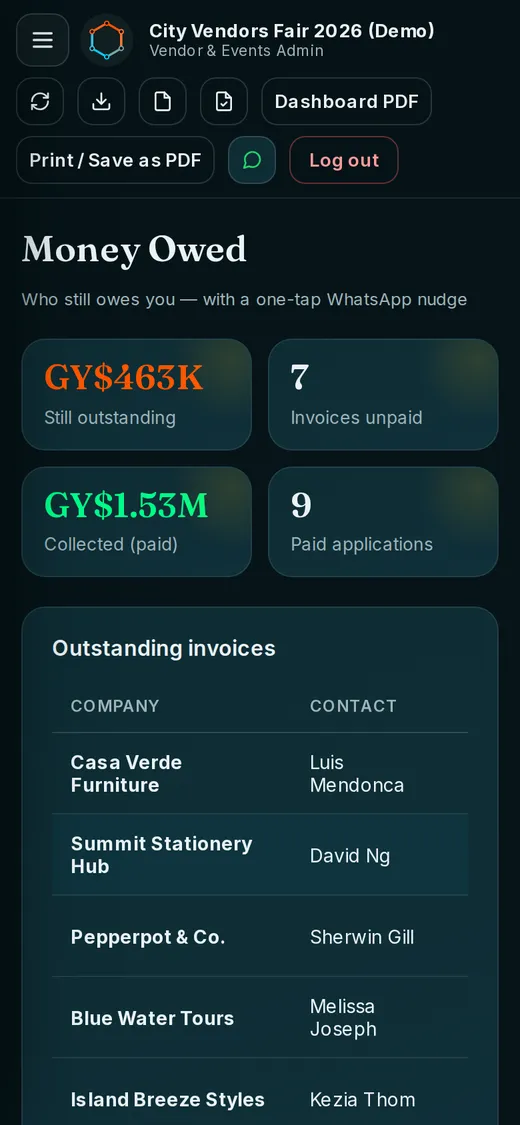
A single list of unpaid invoices, with the amount, the invoice number and a nudge button for each one.
- Outstanding balance with unpaid invoices and amounts collected, in Guyana dollars.
- One-tap WhatsApp nudge for every customer who still owes.
- MMG and bank transfer payments tracked separately.
Bookings with WhatsApp reminders
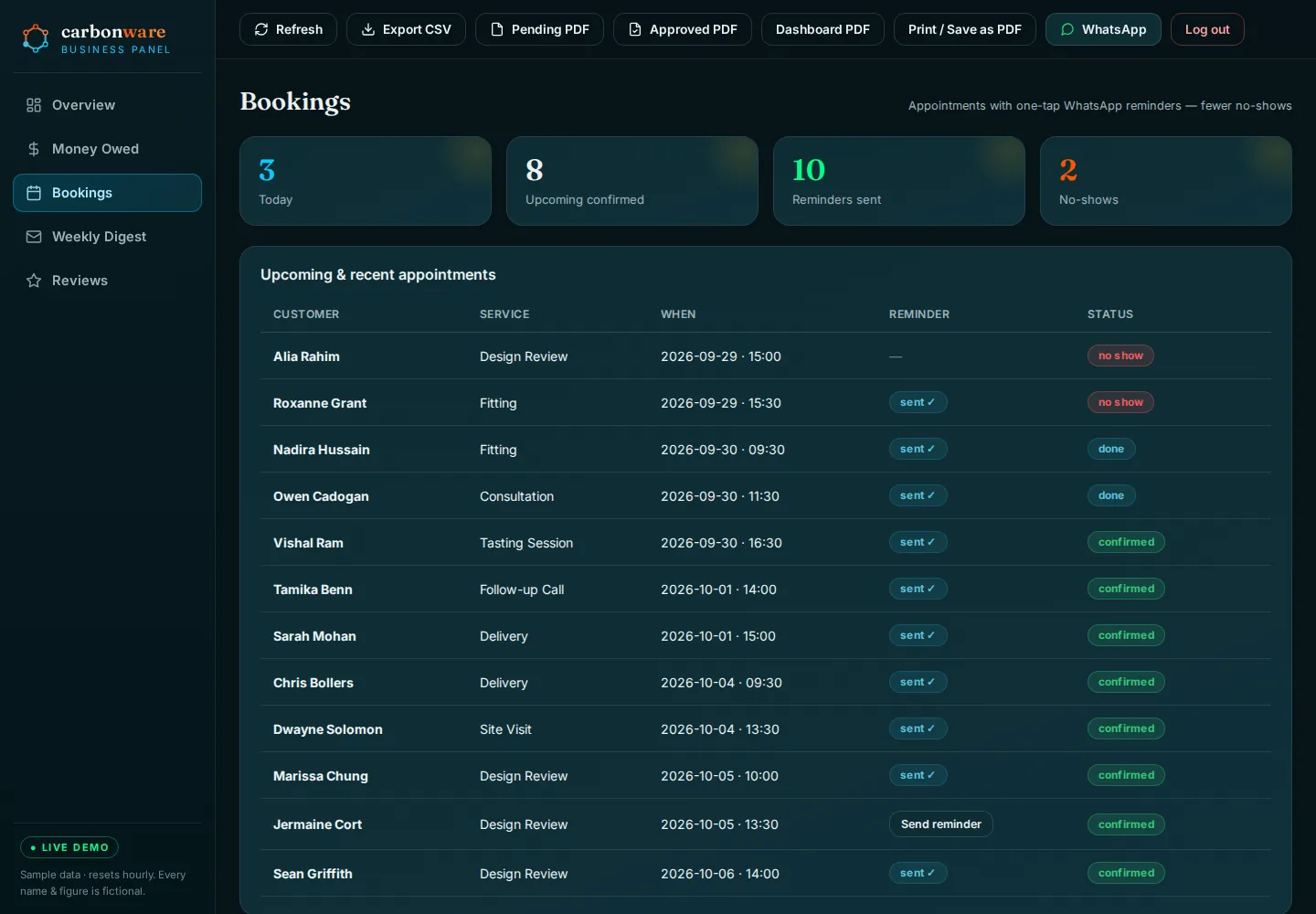
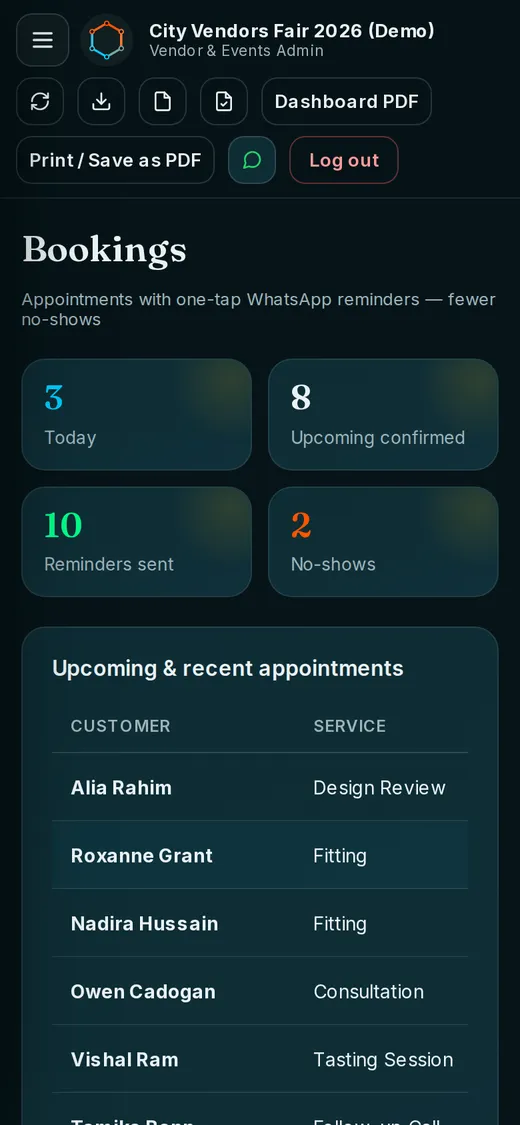
Appointments sit in one list with a status, and a reminder goes out in one tap.
- Today, upcoming and no-shows counted at the top.
- Reminder status on every booking: sent, or send it now.
- Status per booking: confirmed, done or no show.
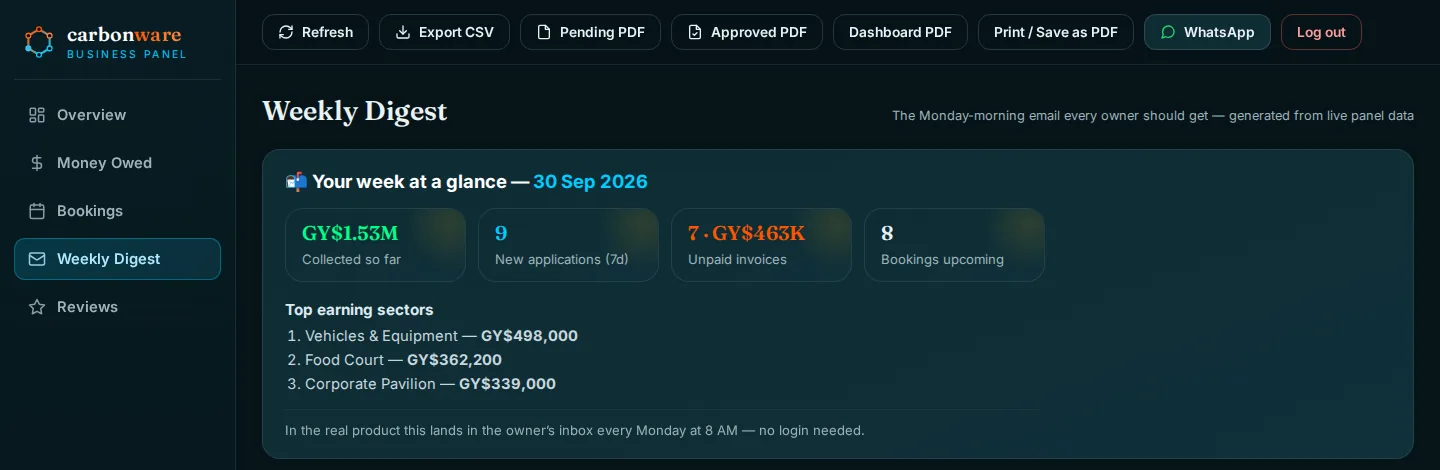
The Monday-morning summary every owner should get
A short weekly digest built from the live panel data, so you see the week without logging in.
- Collected so far, new applications, unpaid invoices and upcoming bookings.
- Top earning sectors for the week.
- In the real product it lands in the owner’s inbox every Monday at 8 AM.
Turn happy customers into Google reviews
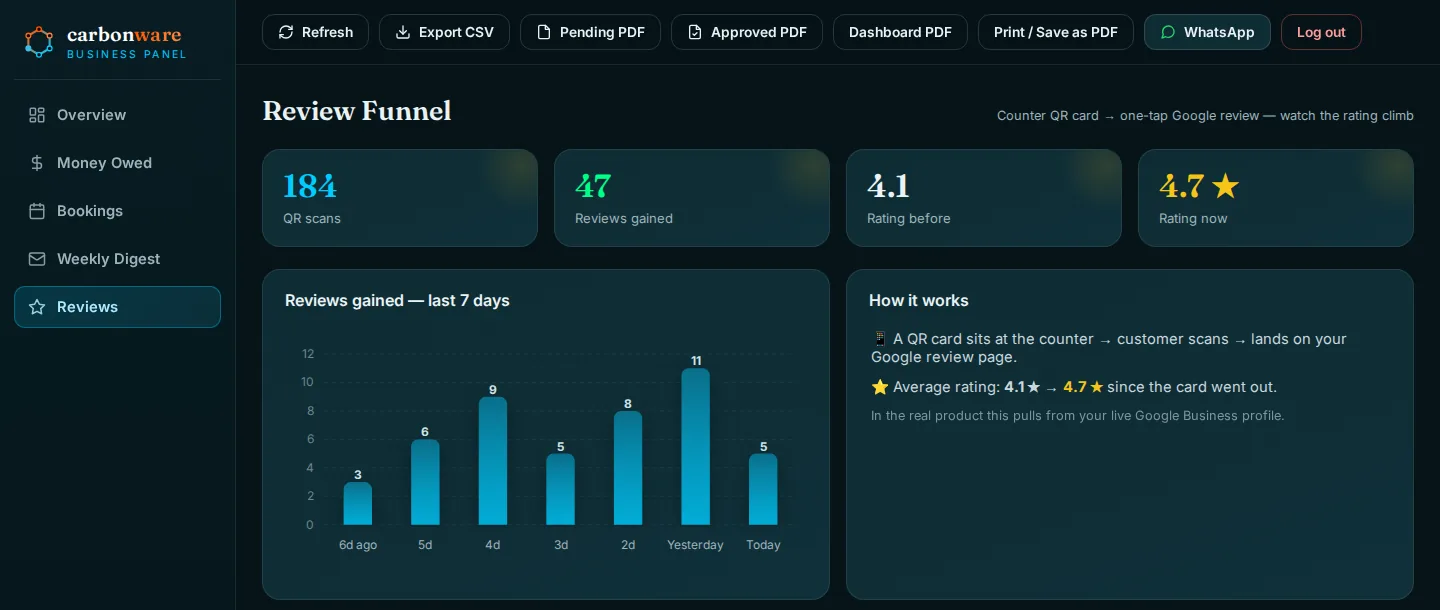
A QR card at the counter takes customers straight to your Google review page, and the panel shows how it is working.
- Counts QR scans and reviews gained over the last seven days.
- Shows your rating before and now.
- In the real product it reads from your live Google Business profile. The figures in the demo are sample data.
Works on the phone in your pocket
Check who owes you, confirm tomorrow’s bookings or review an application away from the desk. The panel adapts to phone screens; these are the live demo at phone width.
Built around your process
The demo is one example. We design each panel around your forms, your fees and the way your team already works.
Associations and chambers
Membership applications, approvals, dues and invoices in one place instead of a shared inbox.
Events and expos
Vendor applications, sizes and allocations, deposits and outstanding balances, with a record of every change.
Appointment-based businesses
Bookings, reminders and no-show tracking for salons, clinics, studios and similar services.
Businesses that invoice
Branded PDF invoices, money owed and a weekly summary, so cash flow is never a surprise.
Secure from day one
These come as standard with every custom panel.
Protected logins
Each person signs in with their own password. Roles that limit what each person sees are built to order.
Audit trail
Every change is recorded with who made it and when, next to the application as it was first submitted.
Nightly backups
Automatic nightly backups, so a bad day never costs you your records.
Need more than the demo shows?
These are built to order for your panel. Each one is quoted before we start.
Staff roles and permissions
Owner, manager and staff each see only what they need.
Customer and member logins
A private area where your customers check their own records and requests.
Custom forms and workflows
Forms, approvals and steps shaped around how you actually work.
Automatic WhatsApp notices
Reminders and alerts sent from your own WhatsApp number, beyond the one-tap reminders.
Password reset and two-step login
Self-service resets and an extra check at sign-in.
CRM and system links
Connect the panel to the tools you already use.
How a project runs
A fixed price, agreed before any building starts.
-
Tell us how you run today
Your forms, your fees, your spreadsheets. Send it by WhatsApp or the contact form.
-
We scope it with you
A dedicated scoping session, then a written proposal with a timeline.
-
Fixed quote before we build
You know the price up front, and nothing is built until you agree.
-
We build and launch it
You try it, we adjust it, and it goes live. Then US$25 a month keeps the panel online, with unlimited edits and nightly backups.
Larger custom builds, such as web apps, online stores and portals, start from US$1,000 and include a panel. The monthly fee belongs to the panel, not the website: on a larger build it is US$75 a month, with unlimited edits and nightly backups. See the full rate card.
Common questions
Can I try the panel before I talk to anyone?
Yes. Open demo.carbonware.ca and sign in with demo / carbonware2026. The data is sample data that resets every hour, and every name and figure is fictional.
Is the demo exactly what I would get?
The demo is one example. Each panel is designed around your own forms, fees and workflow, so the screens, fields and reports are built for how your business runs.
Does it work on a phone?
Yes. The panel adapts to phone screens, so you can check balances, bookings and applications away from the desk.
What does a custom panel cost?
A custom-built panel is US$500 (GY$100,000) once, and US$25 (GY$5,000) a month keeps the panel online, with unlimited edits and nightly backups. New screens or features are quoted before we start. You get the price before we build. Larger custom builds, such as web apps, online stores and portals, start from US$1,000 (GY$200,000), include a panel and are quoted before we build. The monthly fee belongs to the panel, not the website: for the panel on a larger build it is US$75 (GY$15,000) a month, with unlimited edits and nightly backups.
Does the panel take online payments?
The demo records and tracks payments made by MMG and bank transfer, with proof-of-payment photos and outstanding-balance views. Taking card payments online is a separate feature that would be scoped with you.
Is my data protected?
Password-protected logins, audit trails and automatic nightly backups come as standard. Staff roles that limit what each person sees are built to order.
How do I get started?
Request a proposal through the contact form or message us on WhatsApp. Tell us how you run things today and we will scope it, send a proposal with a timeline and quote a fixed price before we build.
See it for yourself
The demo is live now. Click around, then tell us what you would change.
Demo login demo / carbonware2026. Sample data, resets every hour.